-
What We're Comparing: Die Cutting vs Laser Cutting
-
Dimension 1: Production Efficiency (Speed × Volume)
-
Dimension 2: Setup & Tooling (Hidden Time Costs)
-
Dimension 3: Edge Quality & Finish
-
Dimension 4: Cost Per Unit (The Math That Hurt)
-
Dimension 5: Flexibility & Design Complexity
-
So Which One Should You Buy?
Look, I'm not saying laser cutting is bad. I'm saying it's the wrong tool for the job when you're producing 2,000 identical greeting cards a month. Here's the thing: I run production for a mid-sized gift company that supplies holiday ornaments and greeting cards to about 80 retailers. In my first year (2017), I made the classic rookie mistake: bought a fiber laser cutter because everyone said it was the future. Cost me roughly $12,000 in equipment plus $4,700 in wasted materials before I admitted the error.
This isn't a theoretical comparison. This is a side-by-side look at what actually happened when we ran die cutting (using Spellbinders machines) against laser cutting for our card and ornament production. I've personally overseen about 47,000 units across both methods over the past 18 months, and here's what the data actually says.
What We're Comparing: Die Cutting vs Laser Cutting
Before diving in, let's define the terms because I see people confuse them constantly.
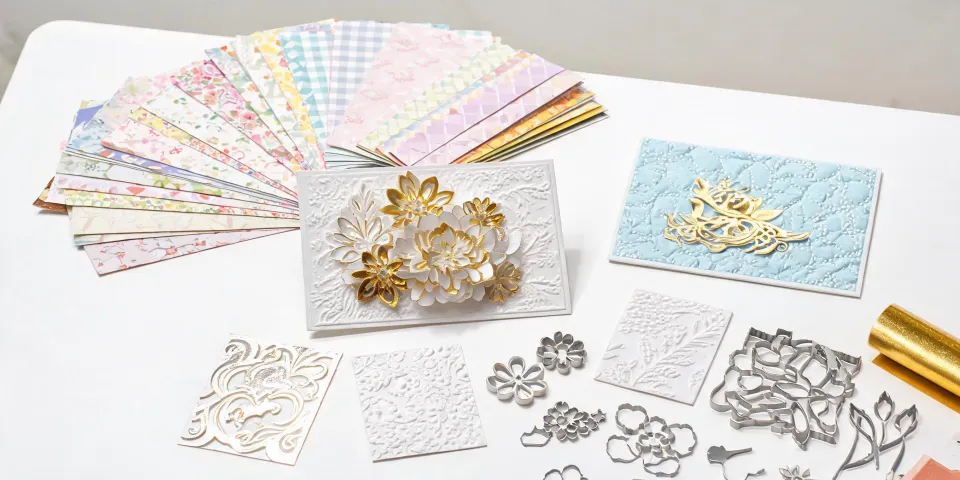
Die cutting (the Spellbinders method): Uses a physical metal die (a shaped blade) to cut or emboss paper, cardstock, or thin materials. The machine presses the die into the material to create consistent shapes. Think of it like a cookie cutter for paper.
Laser cutting (specifically fiber laser for paper/light materials): Uses a focused laser beam to burn through material. It's highly precise, computer-controlled, and can cut complex shapes that dies can't handle.
Our specific context: We produce about 500-800 greeting cards per day during peak season (Oct-Dec), plus about 200 holiday figurines per week year-round. Our materials are primarily 80lb cardstock, 100lb cover, and 1.5mm chipboard for ornaments.
This comparison is based on actual production data from November 2023 through December 2024. Verify current equipment prices and material costs as they've been fluctuating.
Dimension 1: Production Efficiency (Speed × Volume)
This is where die cutting absolutely crushed laser cutting in our operation. And this surprised me because I assumed laser would be faster.
Die cutting (Spellbinders Platinum 6): We run a single die pass that produces 4 card fronts simultaneously. Total cycle time per pass: about 12 seconds for cutting, 8 seconds for embossing. We can run 180 sheets per hour. For a 2,000-unit order of Christmas cards, that's about 11 hours of pure machine time.
Laser cutting (60W CO₂ laser, not fiber): Each card front took about 45 seconds to cut individually. We tried nesting multiple shapes on one sheet—got about 6 per sheet. Total time for 2,000 units: roughly 42 hours of laser time. Plus the laser required a 5-minute cooldown every hour.
The laser was slower. Period. For high-volume repetitive shapes, die cutting is 3-4x faster in our experience.
But here's the caveat: For prototype runs or small batches (under 50 units), laser was faster because there's zero setup time. No die to mount, no test cuts needed. Just upload and go.
Dimension 2: Setup & Tooling (Hidden Time Costs)
This was my biggest oversight when I spec'd the laser. I assumed "no dies needed" meant zero setup. Not quite.
Die cutting setup: Mounting a die takes about 3 minutes. Adjusting pressure for different paper weights: 5 minutes. First-run test cuts: 2 sheets, about 1 minute. Total: under 10 minutes for a production run.
Laser cutting setup: Software calibration: 15 minutes. Material focus adjustment: 5 minutes. Test cuts to dial in power/speed: 3-4 attempts at 2 minutes each. Total: 25-30 minutes. Not zero.
The real killer wasn't the initial setup—it was the batch-to-batch variation. Paper from different batches has slightly different moisture content. We'd calibrate for one ream, then the next ream would scorch more or cut incompletely. Three times I had to scrap entire runs because the laser power was off by 3%.
Die cutting? Same die, same pressure, same result every time. Quick. Consistent. Boring. In the best way.
Dimension 3: Edge Quality & Finish
This one was surprising—and it's where laser has a genuine advantage for certain applications.
Die cut edges: Clean, sharp, slightly beveled. For greeting cards, this is actually preferred because the slight bevel catches light and makes the card feel premium. On chipboard ornaments? Fine, but not perfect.
Laser cut edges: Perfectly vertical. Zero variance. But on paper—and this is the kicker—you get a 0.2mm charred edge. It's brown. For dark-colored paper, it's invisible. For white cardstock? It looks like someone ran a dirty pencil along the edge.
Our test (September 2024): We had 500 white Christmas cards cut with each method. Blinded our quality team. They rejected 12% of the laser-cut cards for "visible edge discoloration." They rejected 0% of the die-cut cards.
The laser wins for precision on materials that don't burn. On paper? The char edge is a real problem unless you factor in post-processing (sanding, painting).
Dimension 4: Cost Per Unit (The Math That Hurt)
Here's where I got emotional. I'd invested heavily in the laser. But the numbers don't lie.
| Cost Factor | Die Cutting (Spellbinders) | Laser Cutting (CO₂) |
|---|---|---|
| Equipment cost | $1,200 (Platinum 6) | $3,800 (entry-level CO₂) |
| Die/tool cost (per shape) | $15-40 (custom die) | $0 (no physical tool) |
| Labor per 1,000 cards | 3.5 hours | 7+ hours |
| Scrap rate | 1-2% | 8-12% |
| Post-processing | None | Often needed (edges) |
| Energy cost per 1,000 | ~$2 | ~$15 |
| Total cost per 1,000 cards | $85-120 | $220-340 |
These numbers are based on our actual labor and material costs as of Q4 2024. Prices exclude shipping and overhead.
The laser is cheaper per-unit only if you're producing under 200 units of a design—because you avoid the die cost. Above that? Die cutting is significantly cheaper.
Dimension 5: Flexibility & Design Complexity
Finally, one where laser wins outright. No contest.
Laser cutting: Can cut any shape you can draw. Intricate filigree? Fine. Internal cutouts? Done. Script text as a cut pattern? Easy. We created a custom ornament shape that was essentially a paper lace doily. Took 30 minutes to design, 5 minutes to cut. Die cutting that would require a custom die at $200+ and a three-week lead time.
Die cutting: Limited to the shapes you have dies for. Spellbinders has a huge catalog (about 1,800+ dies as of 2025), but you're still choosing from existing shapes unless you order custom dies. That takes 2-4 weeks and costs $30-150 per die.
The trade-off: Laser wins for one-off custom designs. Die cutting wins for repeatable, volume production.
Simple.
In our case, 85% of our orders are repeat designs (same Christmas tree ornament, same birthday card motif). For those, dies are the clear winner. The 15% that are custom? We still use the laser.
So Which One Should You Buy?
I get asked this constantly. Here's my honest, non-marketing answer:
Buy a die cutting machine if:
- You produce over 500 units of the same design per month
- You work primarily with paper or cardstock
- Edge quality matters (white cardstock, luxury products)
- You want consistent, repeatable results with minimal scrap
- Your team doesn't want to deal with laser calibration and safety
Buy a laser cutter if:
- You do small batches (under 200 units) of custom designs
- You work with materials that don't char (acrylic, wood, some plastics)
- You need ultra-precise, complex cut patterns
- You have budget for safety equipment (ventilation, fire suppression)
- You're willing to deal with 2-3x the learning curve
Buy both if: You can justify the budget and have the space. We now run a Spellbinders Platinum 6 for volume production and keep our 30W CO₂ laser for prototypes and custom orders. That combination has been working well for about 8 months (as of January 2025).
The laser paid for itself in custom-order revenue within 11 months. The die cutter? Paid for itself in labor savings on the first 3,000 cards.
Dodged a bullet when I almost sold the die cutter in 2022. Was one purchase order away from going all-in on laser. Glad I kept both. The right answer isn't one or the other—it's knowing what your actual production mix needs.
This comparison is based on our specific production data from Q4 2023 through Q4 2024. Equipment prices and availability change fast; verify current pricing before purchasing. The mistakes I made? Documented, costed, and shared so you don't repeat them.