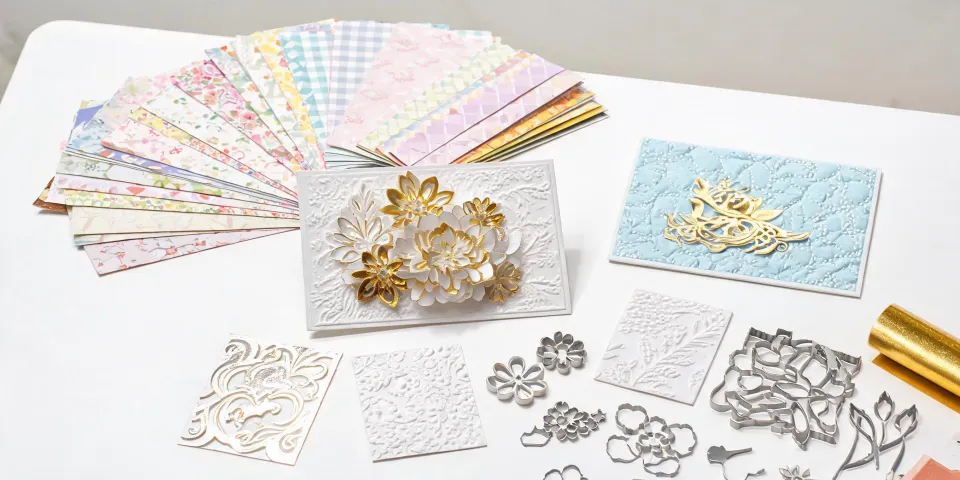
I remember the exact moment I decided to buy a die cutting machine. It was November 2022, I had a stack of holiday orders, and I was cutting snowflake shapes by hand because I thought a machine would be an unnecessary expense.
Six weeks later, I owned a Spellbinders Platinum, a collection of Spellbinders City Holiday dies, and a very expensive realization: the machine wasn't going to save me from myself.
This isn't a 'top machines' post. It's a 'here are the mistakes I made so you don't have to' post. If you're on the fence about a cutting machine, or you already have one and the results don't match the vision in your head, this might save you the roughly $3,800 I spent learning the hard way. Don't hold me to the exact number—I stopped counting after the second failed batch.
I Thought the Right Machine Would Fix Everything
When a project looks bad, it's tempting to blame the tool. If you ask me, that's the most dangerous mindset in this craft.
My first cutting machine was a manual model with a smaller platform. I chose it because it was affordable and because a TikTok video made it look like you could just roll cardstock through and produce a finished card. That's true—for one card. It isn't true when you need 200 matching holiday figurines that look like a professional brand made them.
So I upgraded. In my second year, I bought the Spellbinders Platinum series. The machine was better. My process was still broken.
Here's what I didn't want to admit: a die cutting machine is just the press. The operator, the material, and the quality checks are the real system. I kept trying to fix a workflow problem with a hardware upgrade.
The Deeper Problem: I Was Assuming, Not Testing
My most expensive mistakes weren't mechanical. They were assumptions.
- Assumption #1: If it looks good on a screen, it'll look good in print.
- Assumption #2: If a die works with one cardstock, it works with all cardstock.
- Assumption #3: If I can make one card, I can make one hundred.
The Color Mistake That Cost More Than a Machine
In 2023, I designed a holiday card using a red from the Spellbinders City Holiday collection. On my monitor, it looked like a deep, rich crimson. When the first batch of prints arrived, it looked like tomato soup. Actually, it was worse: it clashed with the gold accents and made the whole card feel cheap. I hadn't checked a physical proof before running 150 cards. That mistake cost roughly $720 in paper and ink, plus a one-week delay.
If you're not familiar with color tolerance, Pantone's guidelines call for a Delta E below 2 for brand-critical colors. Between 2 and 4 is noticeable to trained observers; above 4 is visible to most people. My red was above 4. I didn't need a device to tell me that. I could see it from across the room.
The lesson wasn't 'buy a better printer.' It was 'get a physical proof and check it under the same lighting a customer would use.'
The 300 DPI Rule I Already Knew
I also sent a 72-DPI image to print once and wondered why it looked fuzzy. Standard commercial printing wants 300 DPI at final size. For a 3000 x 2000 pixel image, that's roughly 10 inches by 6.67 inches maximum. I knew this. I skipped the math anyway.
The Paper Question
I assumed all cardstock was interchangeable. It isn't. A die that cuts beautifully through 80 lb text paper might tear through 100 lb cover, or leave half-cut edges. I learned this on a 300-piece greeting card order that I had to restart. The die was fine. The paper was wrong. Or rather, I was wrong for not testing the exact combination first.
Prototype vs. Batch
Then there's the gap between making one beautiful card and producing two hundred of them.
On a 250-piece order, I finished the entire run before I noticed the sentiment was slightly off-center. Every card had the same flaw because I'd set the die incorrectly at the start. The cards looked fine individually. Stacked together, the flaw was obvious. The client didn't have to say anything. I knew.
That's when I finally started building a checklist.
The Real Cost of Skipping Quality Checks
A product is not just a product. It's a brand impression.
When a customer receives a holiday figurine or greeting card, they don't know what machine you used. They don't know how much time you spent. All they know is the physical object in their hands.
For retailers and corporate clients, that impression is everything. An off-center die cut doesn't say 'handmade charm.' It says 'we didn't check.' The $50 you save by skipping a proof gets spent in the customer relationship.
I've seen this pattern many times. But when I say many, I do not mean a few. I mean consistently across 200+ orders, including my own.
What About the TikTok Question?
If you're here because a TikTok video made you type 'how to send greeting card TikTok' into a search engine, I get it. Die cutting looks effortlessly satisfying in a 30-second clip.
Here's what the clip usually skips: the test cuts, the paper choice, the color proof, and the first piece check. I'm not 100% sure why so many tutorials skip those parts. My best guess is that a 30-second video can't show twenty boring test cuts behind the final result.
That doesn't mean the trend is silly. It means the machine is the easy part. The craft is the rest.
What I'd Do Differently (Short Version)
After two years of mistakes, my rule is simple: test first, check twice, and don't assume a machine will fix a process issue.
- Run a physical test with the exact paper, die, and ink before any batch.
- Compare every print color against a physical proof under normal lighting. If you're obsessive, buy a Pantone book. It's cheaper than reprinting.
- Check the first piece from every setup, not the last. The first piece catches alignment errors before they multiply.
- Keep a mistake list. My current checklist has caught 47 potential errors in the past 18 months. Some were small. Some would have ruined another batch.
That's the whole solution. It isn't glamorous.
If you're looking at a Spellbinders City Holiday collection, a holiday figurine set, or a cutting machine and wondering if it's worth it: the machine is worth it. But the machine is only one part of the system. The rest is up to you.
My best guess is you'll make better decisions than I did. You're here, which means you're checking before the first mistake, not after the third. That's already a better starting point.